Windows 10 S was announced on May 2, 2017 at the MicrosoftEDU event, specifically targeted for the education market.
What Is Windows 10 S?
Windows 10 S is basically a locked-down version of Windows 10 Pro that has been streamlined for security and performance. The major difference between this new SKU of Windows 10 and others is that it is designed to run only those applications that can be procured from the Windows Store or those traditional desktop applications that developers have converted for the Universal Windows Platform (UWP) using the Desktop Bridge tool (code-named Project Centennial).
You can read my detailed blog post on LinkedIn, as well as on vmblog.com where I wrote as a guest blogger for Adaptiva.
Follow me (@Hoorge) on Twitter and join Tech Konnect on Facebook and Twitter (@TechKonnect) to stay current on technology related matters.
Microsoft announced today the availability of Windows 10 S ISO files for developers to test via a MSDN subscription. If you don’t already have a subscription, one will cost you anywhere from $539 to $2,999 per year depending on the features desired. For more information, you can check out the details on the Visual Studio Pricing site.
Windows 10 S was first announced at the MicrosoftEDU event on May 2, 2017 with an emphasis on the education industry. I have written a blog post covering some details on this new OS, titled “Should You Care About Windows 10 S?” which you can check out.
Follow me (@Hoorge) on Twitter and join Tech Konnect on Facebook and Twitter (@TechKonnect) to stay current on technology related matters.
Friday, June 23rd, 2017 brought us a brand new build of ConfigMgr Technical Preview (1706), which has some stunning new features. The Microsoft System Center Configuration Manager (ConfigMgr) team has been rapidly implementing new features and improving the product following the Software as a Service (SaaS) model and using feedback from the community on the Microsoft Connect site, as well as paying close attention to feature and enhancement requests on the ConfigMgr UserVoice forum.
This update has a number of new features (as listed in the Enterprise Mobility & Security blogpost) which include:
Improved boundary groups for software update points
Site server role high availability
Include trust for specific files and folders in a Device Guard policy
Hide task sequence progress
Accessibility improvements
Upgrade Readiness support with Azure Services Wizard
New client settings for cloud services
Create and run PowerShell scripts from the ConfigMgr console
PXE network boot support for IPv6
Microsoft Surface driver update management
Configure Windows Update for Business deferral policies
Support for Entrust certification authorities
Cisco (IPsec) support for macOS VPN profiles
New Windows configuration item settings
Device compliance policy improvements
New mobile application management (MAM) policy settings
Android and iOS enrollment restrictions
Android for Work application management policy for copy-paste
Device Health Attestation assessment for compliance policies for conditional access
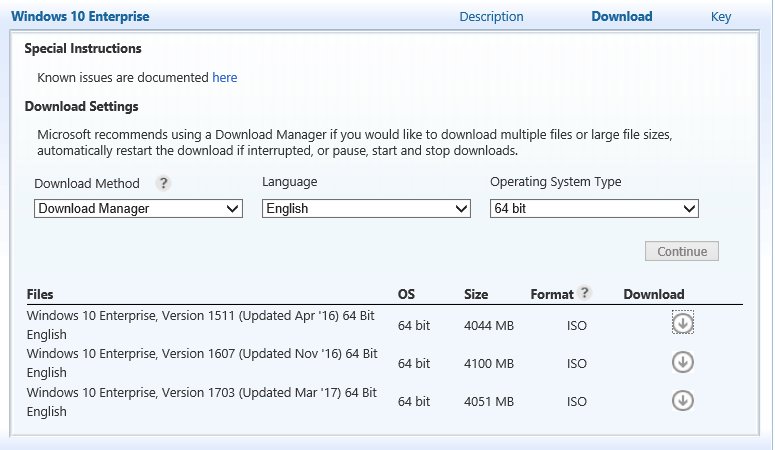
The ISO downloads for Windows 10 Creators Update edition (version 1703) has been released and is now available from the Microsoft Volume Licensing Service Center (VLSC) portal. You’ll find both 32-bit and 64-bit ISO files with a download size of 3024 MB and 4051 MB respectively.
Happy Windows 10 Creators Update installation!
Follow @Hoorge on Twitter and join Tech Konnect on Facebook and Twitter to stay current on technology related matters.
To coincide with the release of Windows 10 Creators Update (1703), the following tools to support this latest release has been made available, which includes Windows 10 Administrative Templates (.ADMX) and Windows Assessment and Deployment Kit (ADK) as previously mentioned in this blog post. The previous Remote Server Administration Tools (RSAT) works just fine with Windows 10 Creators Update.
It’s April 11, 2017 and Microsoft has officially announced the availability of Windows 10 Creators Update which is being rolled out gradually to Windows 10 users in the upcoming weeks. For a list of what’s new in Windows 10 Creators Update, check out the list on Microsoft’s blog.
If you haven’t been keeping up with the Windows Insider program, where you have the opportunity to test new builds and provide feedback to Microsoft but now would like to get started with Windows 10 Creators Update build as quickly as possible, you have a couple of options:
With the release of Windows 10 version 1703, the following tool to support this latest Windows 10 build, Windows Assessment and Deployment Kit (ADK) version 1703 is now available.
You can download it from: Windows 10 Assessment and Deployment Kit (ADK).
Note: You must use Windows 10 build 1703 with this version of the ADK.
Update: April 6, 2017 ** Known Issues for ADK 1703 ** ADK Drivers don’t install on systems with secure boot enabled: Drivers on the ADK Deployment tools will not install on systems with Secure Boot (SB) enabled. To work around the issue, disable SB on these systems.This only impacts systems with Secure Boot enabled. More info here!
Follow me (@Hoorge) on Twitter and join Tech Konnect on Facebook and Twitter (@TechKonnect) to stay current on technology related matters.
March 30, 2017 brought us a brand new build of ConfigMgr Tech Preview (1703), which are now made available on a monthly basis. The Microsoft System Center Configuration Manager (ConfigMgr) team has been rapidly implementing new features and improving the product following the Software as a Service (SaaS) model and using feedback from the community on the Microsoft Connect site, as well as paying close attention to feature and enhancement requests on the ConfigMgr UserVoice forum.
This update has a number of new features (as listed in the Enterprise Mobility & Security blogpost) which include:
Windows Analytics Commercial ID and Windows telemetry levels – You can specify the Windows Analytics Commercial ID and configure telemetry, commercial data, and Internet Explorer data collection settings in Client Settings for use with Upgrade Analytics.
In-place UEFI conversion – You can customize a Windows 10 in-place upgrade task sequence to include the Windows 10 UEFI conversion tool.
Collapsible task sequence groups – Groups in the task sequence editor can be collapsed or expanded.
Azure Services wizard – The Azure Services wizard provides a common configuration for the cloud Azure services you use with ConfigMgr. This is done by using Azure web apps to provide the common subscription and configuration details that administrators would otherwise have to re-enter for each additional cloud Azure cloud service you use.
Direct links to applications in Software Center – You can now provide end users with a direct link to an application in Software Center. This means they no longer must open Software Center and search for an application before they can install it.
Apple Volume Purchase Program (VPP) enhancements – Support has been added to tag education vs business volume purchase program tokens, device licensing, and adding multiple volume purchase program tokens.
You can update to the 1703 Tech Preview release via the ConfigMgr console under the Updates & Servicing node. The baseline version of the Technical Preview branch will be updated to 1703 and available on the TechNet Evaluation Center.
Here’s my video tutorial which I did for version 1701. The steps are the same for 1703.
Follow me (@Hoorge) on Twitter and join Tech Konnect on Facebook and Twitter (@TechKonnect) to stay current on technology related matters.
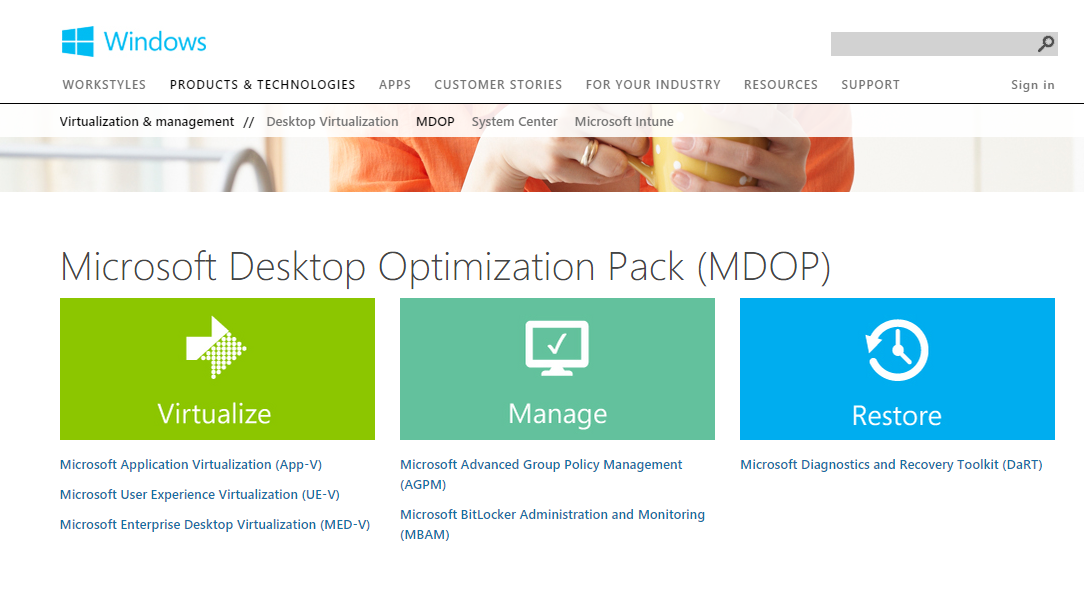
New Group Policy Templates, version 2.7 (.admx and .adml) for Microsoft Desktop Optimization Pack (MDOP) are now available from Microsoft to manage policies across the enterprise for the following MDOP technologies:
The Microsoft System Center Configuration Manager (ConfigMgr) team has been doing a great job with implementing new features and improving the product on a regular basis following the Software as a Service (SaaS) model and using feedback from the community on the Microsoft Connect site, as well as paying close attention to feature and enhancement requests on the ConfigMgr UserVoice forum.
The 45th President of the United States of America was inaugurated on Friday, January 20th and on this day the ConfigMgr team released SCCM Tech Preview build 1701 which is the first new release of 2017. This update has a number of new features (as listed in the Enterprise Mobility & Security blogpost) which include:
UEFI inventory data – Hardware inventory can now determine whether the device is UEFI-enabled.
Validate Device Health Attestation Data via Management Point – You can now configure management points to validate health attestation reporting data for cloud or on-premises health attestation service.
Updated Content Library Cleanup Tool – The command line tool (ContentLibraryCleanup.exe) used to remove content that is no longer associated with any package or application from a distribution point (orphaned content) has been updated with fixes for known issues.
Host software updates on cloud-based distribution points – Beginning with this preview version, you can use a cloud-based distribution point to host a software update package.
Support for Microsoft Azure Government cloud added to Operations Management Suite (OMS) Connector feature – You can now configure an OMS connector for the OMS workspace on Microsoft Azure Government cloud.
Additional boundary groups improvements – Clients now find software update points using Boundary Group associations.
You can update to the 1701 Tech Preview release via the ConfigMgr console under the Updates & Servicing node. You will need the baseline version of Tech Preview 1610 if you are installing it brand new.
Follow me (@Hoorge) on Twitter and join Tech Konnect on Facebook and Twitter (@TechKonnect) to stay current on technology related matters.
Cookie Consent
We use cookies to improve your experience on our site. By using our site, you consent to cookies.
Used to monitor number of Google Analytics server requests when using Google Tag Manager
1 minute
_gid
ID used to identify users for 24 hours after last activity
24 hours
_ga_
ID used to identify users
2 years
_gali
Used by Google Analytics to determine which links on a page are being clicked
30 seconds
_ga
ID used to identify users
2 years
__utmx
Used to determine whether a user is included in an A / B or Multivariate test.
18 months
__utmv
Contains custom information set by the web developer via the _setCustomVar method in Google Analytics. This cookie is updated every time new data is sent to the Google Analytics server.
2 years after last activity
__utmz
Contains information about the traffic source or campaign that directed user to the website. The cookie is set when the GA.js javascript is loaded and updated when data is sent to the Google Anaytics server
6 months after last activity
__utmc
Used only with old Urchin versions of Google Analytics and not with GA.js. Was used to distinguish between new sessions and visits at the end of a session.
End of session (browser)
__utmb
Used to distinguish new sessions and visits. This cookie is set when the GA.js javascript library is loaded and there is no existing __utmb cookie. The cookie is updated every time data is sent to the Google Analytics server.
30 minutes after last activity
__utmt
Used to monitor number of Google Analytics server requests
10 minutes
__utma
ID used to identify users and sessions
2 years after last activity
_gac_
Contains information related to marketing campaigns of the user. These are shared with Google AdWords / Google Ads when the Google Ads and Google Analytics accounts are linked together.
90 days
Clarity is a web analytics service that tracks and reports website traffic.
Used to detect if the visitor has accepted the marketing category in the cookie banner. This cookie is necessary for GDPR-compliance of the website.
179 days
LOGIN_INFO
This cookie is used to play YouTube videos embedded on the website.
2 years
YSC
Registers a unique ID to keep statistics of what videos from YouTube the user has seen.
Session
PREF
This cookie stores your preferences and other information, in particular preferred language, how many search results you wish to be shown on your page, and whether or not you wish to have Google’s SafeSearch filter turned on.
10 years from set/ update
GPS
Registers a unique ID on mobile devices to enable tracking based on geographical GPS location.
1 day
VISITOR_INFO1_LIVE
Tries to estimate the users' bandwidth on pages with integrated YouTube videos. Also used for marketing