Windows 11 KB5095093 Preview Update Released: New Recovery Options, Accessibility Improvements, Bluetooth Enhancements, and More
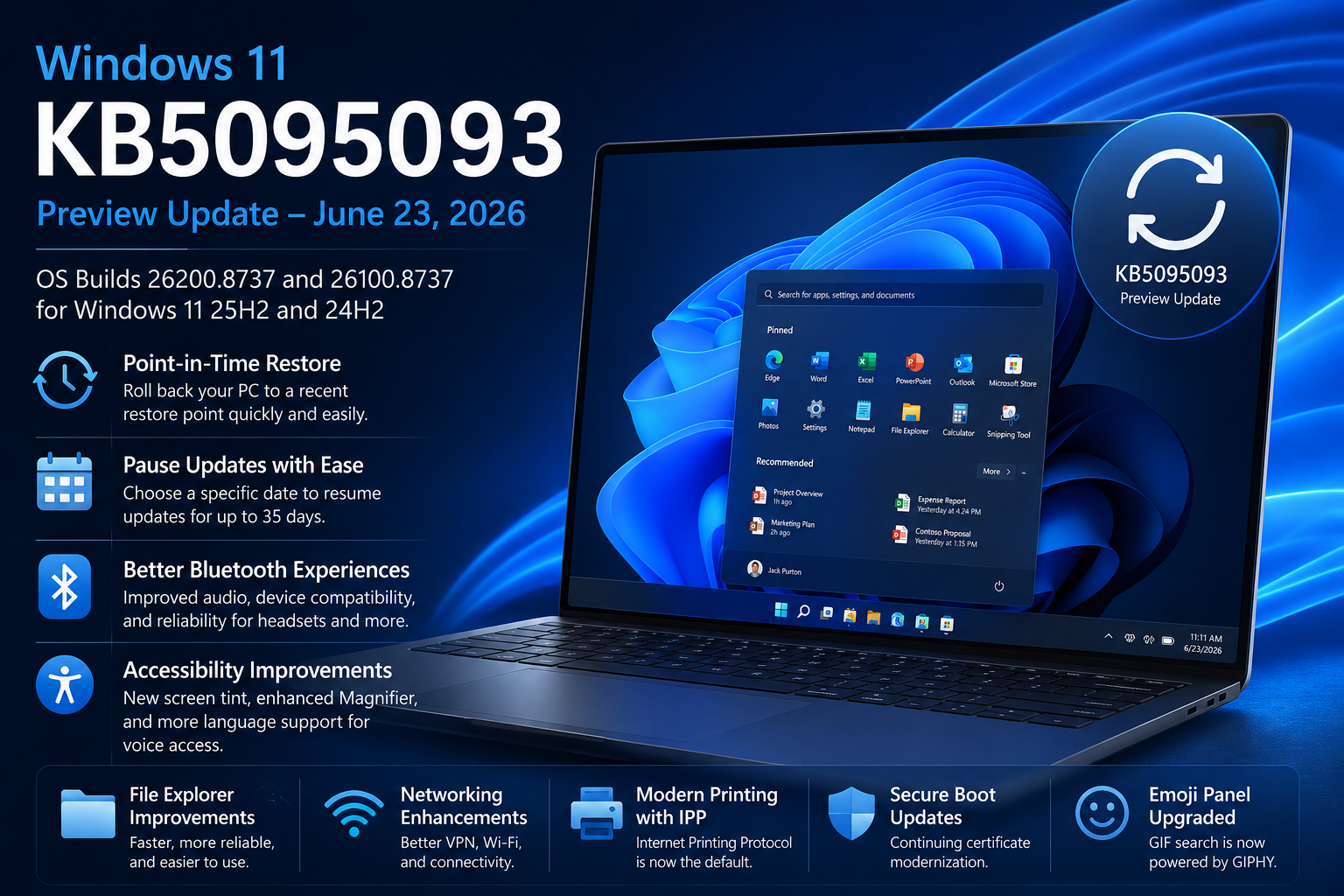
Microsoft has released the June 23, 2026 optional preview update for Windows 11, KB5095093, bringing OS Builds 26100.8737 and 26200.8737 to Windows 11 versions 24H2 and 25H2. This non-security preview update includes a substantial collection of new features, usability improvements, reliability enhancements, and bug fixes that provide a glimpse into what will likely become part of next month’s cumulative security update.
As with most preview releases, KB5095093 is optional. Organizations that prefer a more conservative approach can wait until the July security update when these changes are expected to be broadly available.
Let’s take a closer look at what is new.
New Point-in-Time Restore Experience
One of the most notable additions in KB5095093 is the introduction of Point-in-Time Restore for Windows.
https://learn.microsoft.com/en-us/windows/configuration/point-in-time-restore
This new recovery capability allows users to roll back their computer to a recent automatically created restore point. Unlike traditional recovery scenarios that can be disruptive, this feature is designed to restore apps, settings, and personal files to a previous working state with minimal downtime.
For IT admins, this could become a valuable troubleshooting tool when dealing with problematic updates, application deployments, or configuration changes.
Key benefits include:
- Faster recovery from issues
- Reduced downtime for end users
- Simplified troubleshooting process
- Automatic restore point management
Windows Update Gets a Better Pause Experience
Microsoft has enhanced the Windows Update experience by introducing a calendar-based interface for pausing updates.
Instead of selecting predefined pause durations, administrators and users can now choose a specific date to resume updates. Windows supports pausing updates for up to 35 days and allows extensions when necessary.
This change provides more flexibility for maintenance windows and testing scenarios.
Redesigned Start Menu Reaches Managed Devices
The redesigned Windows 11 Start menu is now becoming available on commercial and managed devices.
Organizations can control the experience using new policy settings including:
- HideCategoryView
- ConfigureStartPins
This provides administrators with additional control over the user experience while maintaining consistency across managed endpoints.
Widgets Become Less Distracting
Microsoft continues refining the Widgets experience by making it less intrusive.
Changes include:
- Widgets no longer open automatically when hovering
- Taskbar badges and notifications are reduced by default
- Improved notification management
- Better overall responsiveness and reliability
- Cleaner dashboard experience
For many users who found Widgets overly aggressive, these changes should create a more balanced experience.
Accessibility Improvements
Several welcome accessibility enhancements arrive in this release.
Screen Tint
A new screen tint feature allows users to apply a full-screen color overlay to reduce eye strain and improve readability.
Users can:
- Select preset colors
- Adjust tint intensity
- Configure automatic activation
Magnifier Improvements
Microsoft has made Magnifier more precise by allowing users to:
- Enter custom zoom percentages
- Adjust zoom increments directly from the Magnifier interface
- Fine-tune zoom behavior without opening Settings
These enhancements improve usability for users with low vision and accessibility requirements.
File Explorer Improvements
File Explorer receives several performance and usability updates.
Highlights include:
Quick Actions
Users can now access quick actions directly from File Explorer Home by hovering over files.
Examples include:
- Open file location
- Ask Copilot
This functionality is currently supported for Entra ID work and school accounts.
Performance Enhancements
Microsoft has improved File Explorer startup performance and addressed several long-standing issues involving:
- OneDrive duplicate entries
- Address bar reliability
- Rename operations
- Cloud file synchronization
- Explorer stability
Organizations with large OneDrive deployments may particularly appreciate these fixes.
Significant Bluetooth Improvements
KB5095093 includes one of the largest collections of Bluetooth improvements seen in recent updates.
Better Headset Experiences
Windows now synchronizes microphone mute status between Windows audio controls and supported Bluetooth headsets.
Improved Device Compatibility
Microsoft specifically calls out improvements for:
- Apple AirPods
- Beats Studio Pro
- LE Audio devices
- Hands-Free Profile (HFP) devices
Reliability Enhancements
The update addresses:
- Reconnection delays
- Audio dropouts
- Call quality issues
- Device removal inconsistencies
- Bluetooth settings stability
Users who rely heavily on wireless headsets should notice improved reliability after installing this update.
Voice Access Expands to More Languages
Voice access and voice typing now support:
- French
- German
- Spanish
Windows can also improve dictated text in real time by correcting grammar, punctuation, and recognition errors as users speak.
This feature is currently available on Copilot+ PCs.
Networking and VPN Improvements
Microsoft has invested heavily in networking reliability in this release.
Enhancements include:
- Improved Wi-Fi stability
- Better cellular connectivity
- IPv6 VPN support improvements
- Enhanced compatibility with third-party VPN solutions
- Improved SR-IOV virtualization networking
- Better network adapter preservation during upgrades
Organizations running virtualized workloads or VPN-dependent environments may benefit from these improvements.
Printing Modernization Continues
Windows now defaults to Internet Printing Protocol (IPP) for new printer installations when supported.
This change aligns with Microsoft’s broader effort to modernize printing infrastructure and reduce dependency on legacy printer drivers.
Administrators can still control this behavior through printer settings and policy management.
Additional Fixes and Improvements
Other notable improvements include:
Taskbar
- Improved Start menu reliability
- Better notification badge accuracy
Graphics
- Improved multi-monitor rendering
- Better color profile persistence
- Enhanced memory management for AI workloads on systems with more than 32 GB RAM
Audio
- Improved HD Audio driver reliability
Remote Desktop
- Updated Remote Desktop configuration experience
Windows Subsystem for Linux
- Better VPN compatibility when using mirrored networking mode
Explorer.exe Reliability
Microsoft addressed multiple reliability issues affecting:
- Desktop switching
- File Explorer navigation
- OneDrive synchronization
- Lock screen behavior
- Shell extensions
- Acrylic visual effects
Secure Boot Certificate Updates Continue
Microsoft continues rolling out updated Secure Boot certificates ahead of certificate expirations beginning in June 2026.
Microsoft has expanded eligibility targeting to ensure more devices automatically receive updated certificates through Windows Update.
This work remains part of Microsoft’s long-term Secure Boot certificate modernization initiative.
Emoji Panel Switches to GIPHY
An interesting change in this release is the migration of GIF functionality within the Windows emoji panel from Google’s Tenor service to GIPHY.
Microsoft notes that systems not updated after June 30, 2026 may see GIF functionality become unavailable until a newer update is installed.
Known Issues
Microsoft Office Applications May Not Launch from Third-Party Software
Microsoft has acknowledged a known issue affecting some third-party applications that use OLE automation to launch Microsoft Office applications.
Affected applications may include:
- Word
- Excel
- PowerPoint
- Access
Examples of impacted third-party software include:
- CCH Engagement
- Workpaper Manager
- Dentrix
- Softdent
- Zotero
Symptoms
Users may experience:
- Office applications failing to launch
- Documents not opening
- No visible error messages
Workaround
Until Microsoft releases a permanent fix:
- Open Office applications directly
- Open documents directly from File Explorer instead of through the affected application
- Enterprise customers can contact Microsoft Support for organizational mitigation guidance
Microsoft has stated that a permanent fix is currently in development.
Should You Install KB5095093?
For enthusiasts, IT professionals, pilot users, and test environments, KB5095093 offers several compelling enhancements worth evaluating, particularly the new Point-in-Time Restore feature, Bluetooth improvements, File Explorer enhancements, and accessibility updates.
For production environments, many organizations may choose to wait until these changes are incorporated into the July 2026 Patch Tuesday release.
As always, test preview updates in a controlled environment before broad deployment.
Final Thoughts
KB5095093 is one of the more feature-rich preview updates Microsoft has released in recent months. Beyond the usual bug fixes, it introduces meaningful usability improvements across recovery, accessibility, Bluetooth, networking, printing, and File Explorer.
The introduction of Point-in-Time Restore is especially noteworthy and may become one of the most useful troubleshooting tools added to Windows 11 in recent years.
For IT admins managing Windows 11 devices, this preview update provides a good indication of where Microsoft’s engineering efforts are currently focused: resilience, accessibility, AI readiness, modern device management, and a more reliable user experience.